TP-Link TL-SG1016 16-Port Gigabit Rackmount Switch
TP-Link TL-SG1016 16-Port Gigabit Rackmount Switch The TP-Link TL-SG1016 16-Port Gigabit Rackmount Switch is an unmanaged Gigabit Ethernet switch designed for offices, businesses, schools, CCTV networks, server rooms and other installations that need to connect multiple wired network devices through...
Delivery: Nairobi same-day to 1 day; nationwide 1–5 business days.
Warranty: Manufacturer warranty where applicable.
Description
TP-Link TL-SG1016 16-Port Gigabit Rackmount Switch
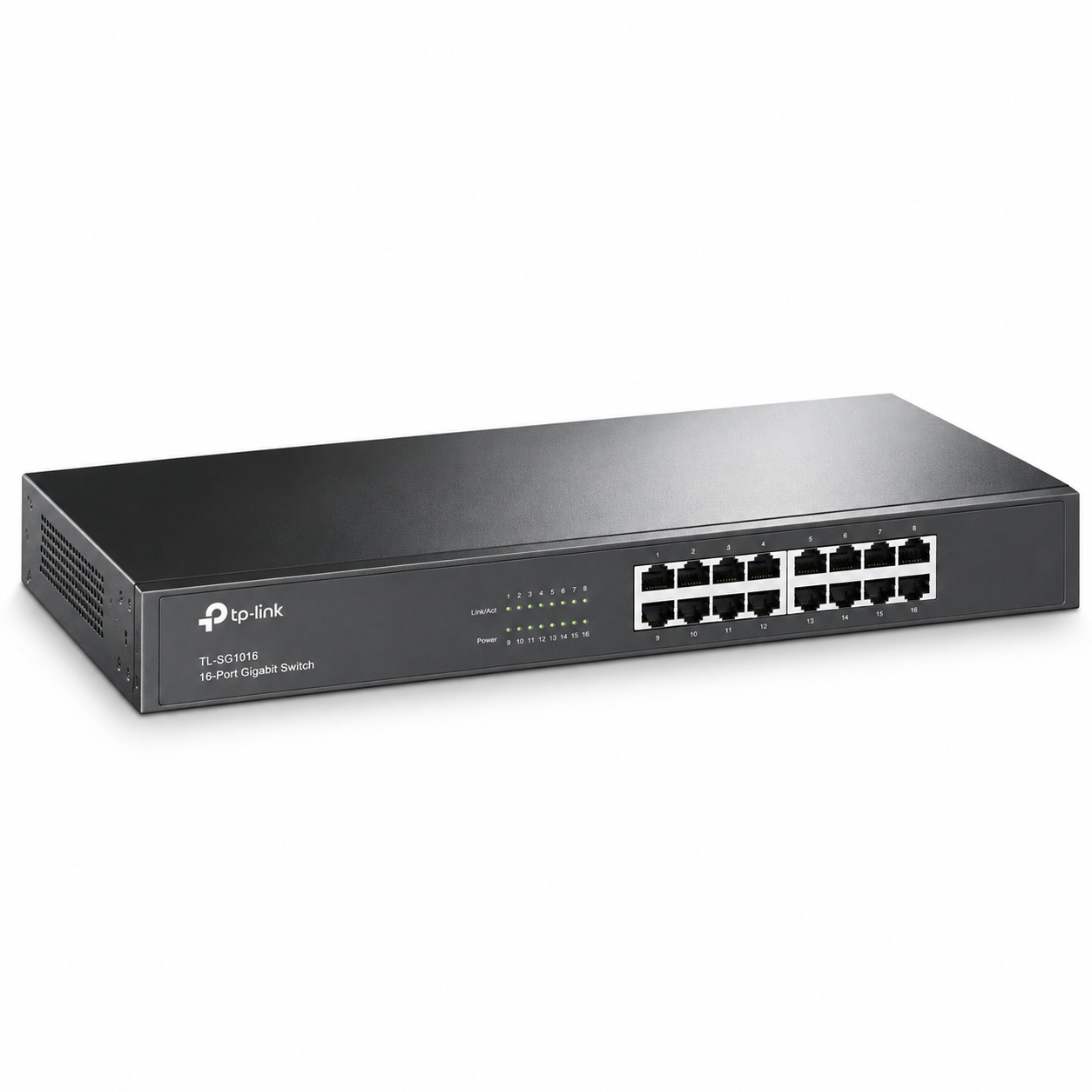
The TP-Link TL-SG1016 16-Port Gigabit Rackmount Switch is an unmanaged Gigabit Ethernet switch designed for offices, businesses, schools, CCTV networks, server rooms and other installations that need to connect multiple wired network devices through one central switch.
It provides 16 × 10/100/1000Mbps RJ45 ports, with auto-negotiation and Auto MDI/MDIX on every port. This allows compatible computers, routers, printers, servers, network storage devices, access points and other Ethernet equipment to connect without complicated switch configuration.
The TL-SG1016 is especially suitable for buyers who want a simple rackmount Gigabit switch rather than a fully managed switch. It does not provide PoE, and it should not be confused with a managed or Omada-managed switch.
Key Features of TP-Link TL-SG1016
-
16 × 10/100/1000Mbps RJ45 Ethernet ports
-
Auto-negotiation on all Ethernet ports
-
Auto MDI/MDIX support
-
32Gbps switching capacity
-
23.8Mpps packet forwarding rate
-
8K MAC address table
-
10KB Jumbo Frame support
-
Store-and-forward switching
-
IEEE 802.3x flow control
-
Fanless design
-
Standard 19-inch rackmount format
-
100–240V AC, 50/60Hz power input
-
Plug-and-play unmanaged operation
-
Energy-efficient Ethernet technology
-
Isolation Mode on supported current hardware
-
Loop Prevention on supported current hardware
-
802.1p/DSCP QoS on applicable hardware revisions
TP-Link has released numerous hardware versions of the TL-SG1016, so buyers should confirm the supplied revision when a revision-specific feature is important.
16 Gigabit Ethernet Ports
The main advantage of the TP-Link TL-SG1016 is its 16 Gigabit Ethernet interfaces.
Each port supports 10Mbps, 100Mbps and 1000Mbps Ethernet, allowing the switch to negotiate the highest compatible speed with the connected device. Auto MDI/MDIX also means users do not normally need to distinguish between straight-through and crossover Ethernet cables.
The switch can be used to connect equipment such as:
-
Desktop computers
-
Network printers
-
Servers
-
Network Attached Storage systems
-
Routers and firewalls
-
Ethernet-connected access points
-
CCTV NVRs
-
IP cameras using separate power or external PoE equipment
-
Additional Ethernet switches
-
Other wired network devices
The TL-SG1016 itself does not provide internet access or routing. It expands Ethernet connectivity within an existing network.
Gigabit Switching Performance
TP-Link specifies a 32Gbps switching capacity and a 23.8Mpps packet forwarding rate for the TL-SG1016.
It also supports an 8K MAC address table and uses a store-and-forward switching method. These specifications make it suitable for normal Gigabit LAN expansion in offices and business environments.
Actual network throughput still depends on the connected devices, cabling, router, servers, storage equipment and overall network design. Installing a Gigabit switch does not automatically make every device communicate at 1Gbps.
10KB Jumbo Frame Support
TP-Link specifies 10KB Jumbo Frame support on current TL-SG1016 documentation.
Jumbo Frames can be useful in some local networks involving servers, storage systems and large data transfers. However, compatible configuration is required across the relevant devices.
Jumbo Frame support should therefore be viewed as a network capability rather than a guarantee of faster transfers in every installation.
Plug-and-Play Unmanaged Design
The TL-SG1016 is an unmanaged Ethernet switch.
For normal deployment, there is no conventional switch-management interface that must be configured before use. Connect the switch to power, connect the Ethernet devices and it can begin forwarding network traffic.
This makes it suitable for customers who need straightforward network expansion without extensive configuration.
Businesses requiring advanced functions such as configurable VLANs, SNMP management, link aggregation configuration, detailed traffic monitoring or centralised Omada management should instead consider an appropriate managed or Easy Smart switch.
Rackmount Installation
The TP-Link TL-SG1016 is designed for installation in a standard 19-inch rack. TP-Link describes its chassis as a rack-mountable steel case.
This makes it practical for use with:
-
Network cabinets
-
Server racks
-
Patch panels
-
Rackmount routers
-
CCTV cabinets
-
Structured cabling installations
Current TP-Link V17 documentation lists dimensions of approximately 440 × 140 × 44 mm. However, older versions have used different chassis depths—for example, some documentation lists approximately 440 × 180 × 44 mm. The exact hardware revision should therefore be checked if rack depth or cabinet clearance is important.
Fanless Operation
The current TL-SG1016 is specified as fanless.
This allows quieter operation than switches requiring active cooling fans and can make the unit suitable for both dedicated network rooms and office environments.
The switch should still be installed where there is suitable ventilation and should not be enclosed in a location where heat cannot dissipate.
Energy-Efficient Technology
TP-Link markets the TL-SG1016 with energy-efficient technology that can adjust electrical consumption according to network link status.
The switch uses an internal 100–240V AC, 50/60Hz power supply.
Power-consumption figures differ across TL-SG1016 hardware revisions. Current V17 specifications list a maximum of 10.68W at 220V/50Hz, while older documentation has published other values. Buyers who need an exact power budget should therefore check the hardware version supplied.
QoS Support
TP-Link documents 802.1p/DSCP QoS on newer TL-SG1016 hardware.
Older TP-Link documentation specifically states that this capability applies to V12 and later versions.
QoS allows compatible traffic-priority markings to receive appropriate handling within the switch.
If QoS support is an important purchasing requirement, confirm the exact hardware revision before ordering instead of assuming every historical TL-SG1016 version provides identical functionality.
Isolation Mode
Recent TL-SG1016 versions support Isolation Mode.
TP-Link specifies Isolation Mode for ports 1–14 on current hardware. It is designed to separate client-side traffic while retaining appropriate connectivity through the remaining uplink-facing ports.
This can be useful for certain straightforward Ethernet deployments where connected client devices should not freely communicate with one another.
It is not a replacement for the configurable VLAN and security features of a managed switch.
Loop Prevention
Current versions also support Loop Prevention across ports 1–16.
This feature is intended to identify and address loop-related network problems that could otherwise disrupt Ethernet traffic.
Again, because TP-Link has released many TL-SG1016 revisions, buyers should confirm the supplied hardware version if Loop Prevention is specifically required.
No PoE Output
The TP-Link TL-SG1016 is not a PoE switch.
Its 16 RJ45 interfaces carry Ethernet data but are not specified by TP-Link as Power over Ethernet output ports.
This distinction is particularly important when connecting:
-
PoE IP cameras
-
Wireless access points
-
VoIP phones
-
Other PoE-powered equipment
Such devices will require a separate compatible PoE switch, PoE injector or other suitable power arrangement.
Do not purchase the TL-SG1016 expecting its Ethernet ports to directly power PoE devices.
No SFP Fibre Ports
The TL-SG1016 provides 16 copper RJ45 Gigabit Ethernet ports. TP-Link does not specify SFP or SFP+ fibre slots on this model.
If your network requires direct fibre uplinks, select a switch that includes compatible SFP or SFP+ interfaces, or use appropriate external fibre media-conversion equipment where suitable.
Best Uses for TP-Link TL-SG1016
The TL-SG1016 is suitable for straightforward wired Gigabit networks where many Ethernet devices need to connect centrally.
Typical deployments include:
-
Business offices
-
Schools and training centres
-
Retail premises
-
Hotels and hospitality businesses
-
Server and communications rooms
-
Computer laboratories
-
CCTV installations
-
Branch offices
-
Warehouses
-
Structured cabling installations
-
Small business networks
For larger installations involving structured cabling, network cabinets, fibre links, multiple switches or professional network design, businesses can work with OrbitLink Solutions for enterprise networking and deployment services.
Who Should Buy the TP-Link TL-SG1016?
The TP-Link TL-SG1016 Kenya market is best suited to customers who need more wired Gigabit ports but do not require complex switch management.
It can be particularly useful when a router provides only a few LAN ports and the network must support many computers, printers, servers or other wired devices.
It is also appropriate for customers replacing an older Fast Ethernet switch with a Gigabit-capable rackmount model.
Consider another switch instead if your installation requires:
-
Power over Ethernet
-
SFP or SFP+ fibre interfaces
-
Full VLAN management
-
Managed link aggregation
-
SNMP
-
Layer 3 routing
-
Omada SDN management
-
Detailed per-port configuration
Choosing the switch according to the actual network requirements avoids paying for unnecessary features or discovering missing capabilities after installation.
What to Check Before Buying
Before ordering the TP-Link 16 Port Gigabit Rackmount Switch TL-SG1016, confirm:
-
That 16 Ethernet ports are sufficient
-
That an unmanaged switch is suitable
-
Whether your installation requires PoE
-
Whether SFP fibre interfaces are required
-
Whether you require advanced VLAN management
-
The TL-SG1016 hardware revision being supplied
-
Rack dimensions and available cabinet space
-
Whether revision-dependent features such as QoS, Isolation Mode or Loop Prevention are required
Hardware revision deserves particular attention because TP-Link's support site currently lists versions ranging from older V1 units through newer generations including V17 and V17.60, with some specifications changing between versions.
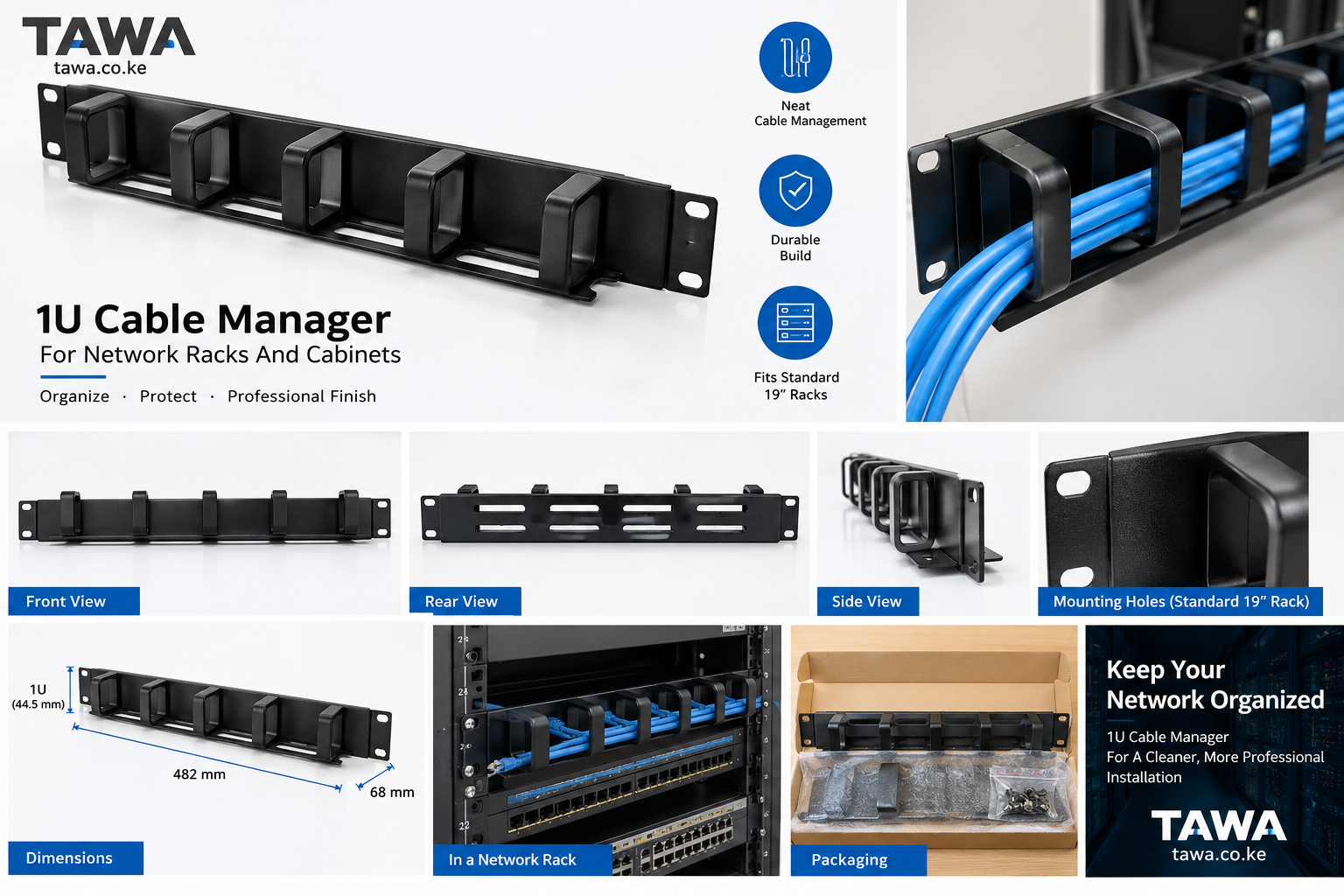
Networking accessories such as Ethernet cables, racks, patch panels and related equipment can also be sourced through Tawa when building the complete installation.
TP-Link TL-SG1016 Price in Kenya
The TP-Link TL-SG1016 price in Kenya should be confirmed from current stock rather than estimated.
Pricing can change according to:
-
Stock availability
-
Exchange rates
-
Import and shipment costs
-
Supplier pricing
-
Hardware revision
-
Accessories or installation requirements
Check Tawa for the latest price and availability before placing an order.
When comparing offers, make sure the product being quoted is the TP-Link TL-SG1016 16-Port Gigabit Rackmount Switch and confirm the hardware revision if a particular revision-dependent feature matters.
Buy TP-Link TL-SG1016 in Kenya
The TP-Link TL-SG1016 16-Port Gigabit Rackmount Switch is a practical choice for businesses and organisations that need 16 Gigabit Ethernet ports in a rackmount, fanless and easy-to-deploy format.
Its verified core specifications include 16 auto-negotiating Gigabit RJ45 ports, 32Gbps switching capacity, 23.8Mpps forwarding, an 8K MAC address table and 10KB Jumbo Frame support. Current versions also provide features including Isolation Mode and Loop Prevention, although buyers should confirm the hardware revision when these functions are specifically required.
To buy the TP-Link TL-SG1016 in Kenya, check Tawa for the latest price, stock availability and compatible networking accessories. Before ordering, confirm the hardware revision, PoE requirements and whether an unmanaged 16-port Gigabit switch provides the functionality required for your network.