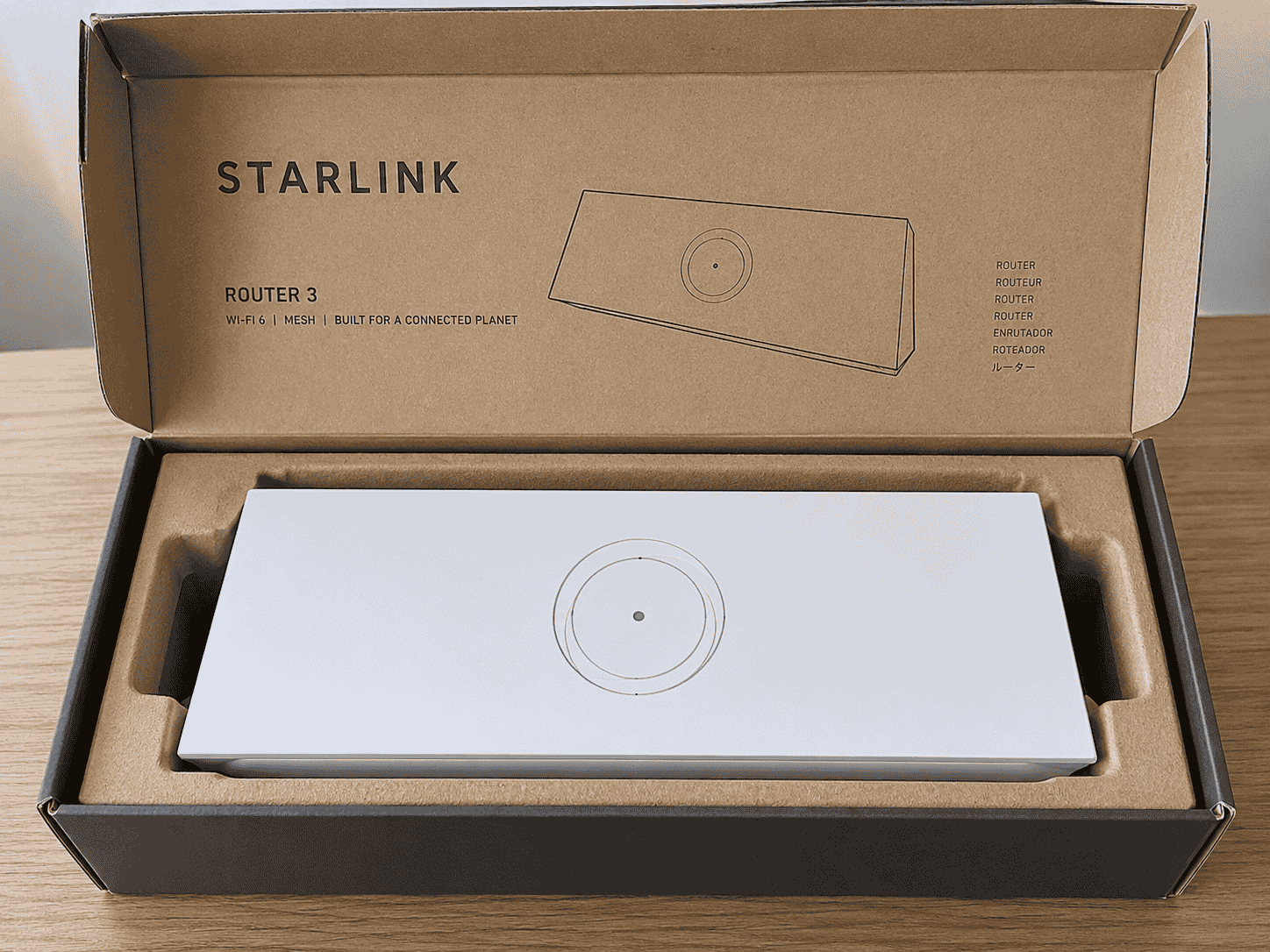
Starlink Gen 3 Mesh Router
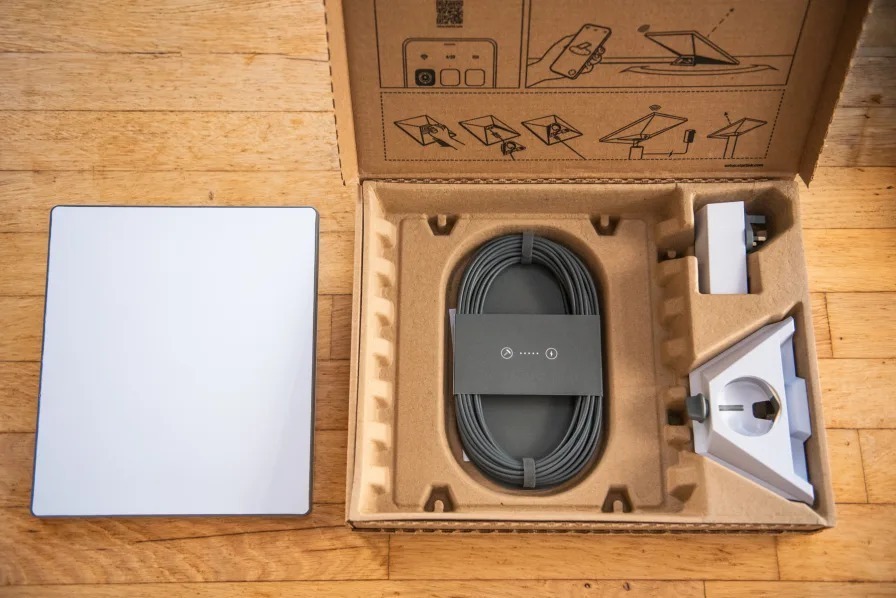
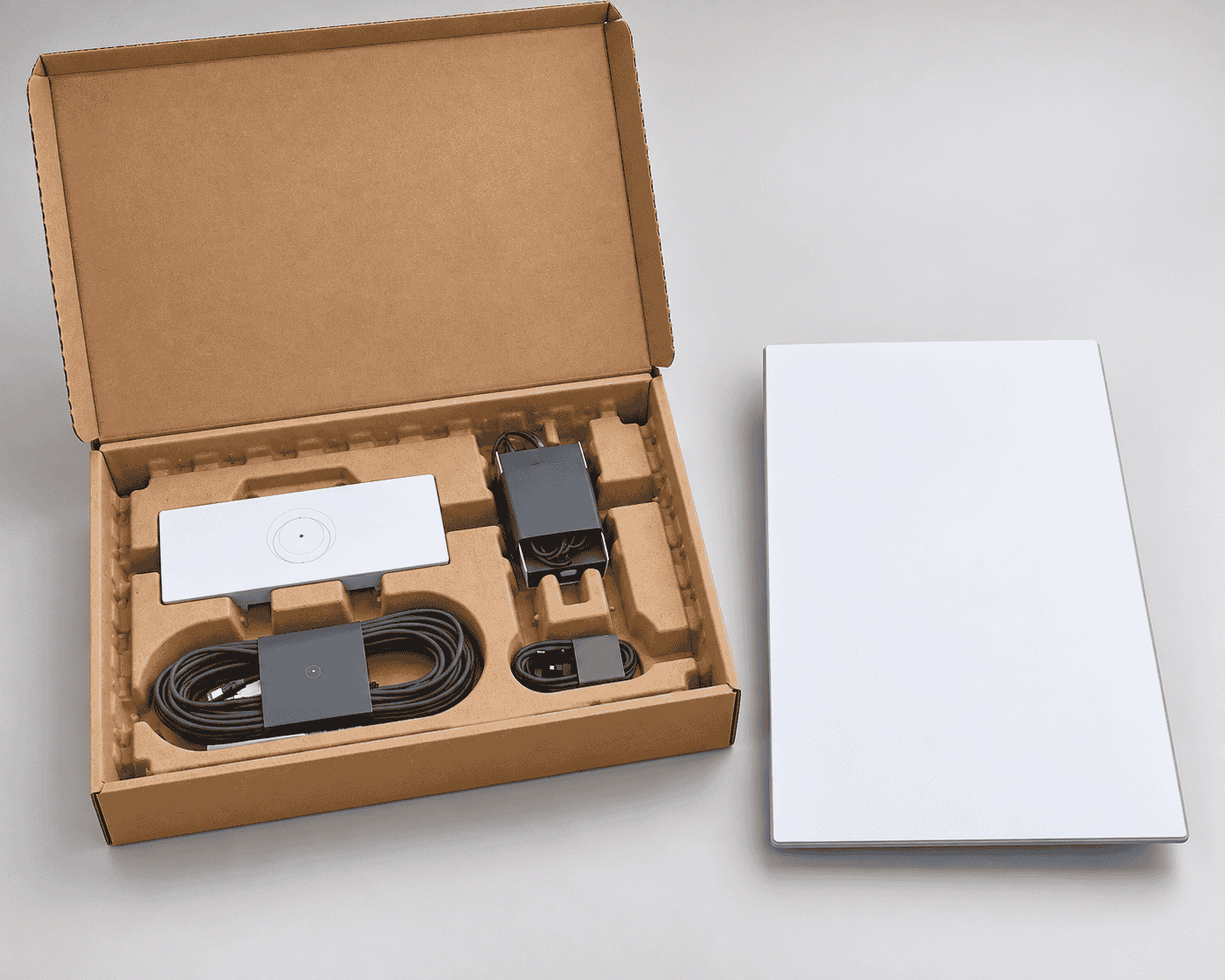
Starlink Gen 3 Mesh Router The Starlink Gen 3 Mesh Router, also known as Starlink Router 3, is a Wi-Fi 6 router designed for compatible Starlink internet installations. It can work as the main router in supported Starlink configurations or...
Delivery: Nairobi same-day to 1 day; nationwide 1–5 business days.
Warranty: Manufacturer warranty where applicable.
Description
Starlink Gen 3 Mesh Router
The Starlink Gen 3 Mesh Router, also known as Starlink Router 3, is a Wi-Fi 6 router designed for compatible Starlink internet installations. It can work as the main router in supported Starlink configurations or as an additional Starlink mesh node to improve Wi-Fi coverage in areas where a single router does not provide a strong enough signal.
It combines Wi-Fi 6, a tri-band 4×4 MU-MIMO radio, two built-in Ethernet LAN ports and native Starlink mesh compatibility. This makes it a practical choice for homes, offices, shops, hotels, lodges and other properties that need better wireless distribution or additional wired network connections.
For customers looking to buy a Starlink Gen 3 Mesh Router in Kenya, the most important consideration is compatibility with the existing Starlink installation. Check the current price, availability and compatible Starlink accessories from Tawa before ordering.
Key Features of Starlink Gen 3 Mesh Router
-
Wi-Fi 6 generation router
-
Supports IEEE 802.11a/b/g/n/ac/ax Wi-Fi standards
-
Tri-band 4×4 MU-MIMO radio
-
Two built-in Ethernet LAN ports
-
Manufacturer-rated coverage of up to approximately 297 m² under suitable conditions
-
Supports connection of up to 235 devices according to Starlink specifications
-
Compatible with supported Starlink mesh configurations
-
Can be used with Gen 2 and Router 3 mesh systems
-
Starlink recommends no more than three Starlink mesh routers in a network
-
WPA2 wireless security
-
IP56-rated water resistance
-
Configured by Starlink for indoor use
-
Operating temperature range of approximately -30°C to 50°C
-
Integrated LED power indicator
-
Managed through the Starlink App
-
Suitable for residential and commercial Starlink installations
Wi-Fi 6 Connectivity
The Starlink Gen 3 Mesh Router uses Wi-Fi 6, also known as IEEE 802.11ax, while maintaining compatibility with earlier supported Wi-Fi standards.
Wi-Fi 6 is especially useful in modern environments where multiple wireless devices may be connected at the same time. Homes and offices can have smartphones, laptops, televisions, security systems, tablets, printers and other connected equipment all sharing the same network.
Starlink specifies a tri-band 4×4 MU-MIMO radio system for Router 3. This gives the router a more capable wireless architecture than older basic Wi-Fi routers and makes it suitable for distributing a Starlink connection across a modern home or business network.
The router does not, however, increase the underlying speed delivered by the Starlink satellite connection. Actual internet performance depends on the Starlink service, dish visibility, network congestion, Wi-Fi conditions, connected devices and local installation.
Extend Starlink Wi-Fi with Mesh Networking
One of the most useful reasons to buy a Starlink Gen 3 Mesh Router is to expand Wi-Fi coverage.
A single router may work well in a smaller home but struggle to provide a strong connection through several rooms, floors or thick walls. A Starlink mesh router can be positioned between the primary router and an area with weak Wi-Fi to extend the network.
Starlink recommends positioning mesh routers approximately one to two rooms apart from the primary router or another mesh node where practical.
Mesh networking can be useful in:
-
Large residential homes
-
Multi-room offices
-
Hotels and lodges
-
Shops and restaurants
-
Schools
-
Guest houses
-
Workshops
-
Large business premises
-
Buildings with Wi-Fi dead zones
Starlink currently recommends using no more than three Starlink mesh routers in a network.
For larger installations that require Ethernet switches, structured cabling, access points or dedicated business networking, OrbitLink Solutions can assist with professional network design and Starlink integration.
Wi-Fi Coverage
Current Starlink specifications rate Router 3 for wireless coverage of up to approximately 297 m² (3,200 ft²).
This should be treated as a manufacturer-rated maximum rather than guaranteed coverage in every building.
Real-world Wi-Fi coverage can be reduced by:
-
Reinforced concrete walls
-
Multiple floors
-
Metal structures
-
Large appliances
-
Mirrors
-
Other wireless networks
-
Router placement
-
Distance from the router
-
Local radio interference
A property with difficult construction may therefore require additional mesh nodes even if its total floor area is below the quoted maximum coverage.
Placing the router centrally and in an open position generally produces better results than hiding it inside cabinets or locating it behind large objects.
Two Built-In Ethernet LAN Ports
The Starlink Gen 3 Mesh Router includes two Ethernet LAN ports located beneath a removable protective cover.
This is a major practical advantage for customers who want to connect wired networking equipment directly to their Starlink network.
Compatible devices can include:
-
Desktop computers
-
Ethernet switches
-
Access points
-
Smart TVs
-
Network video recorders
-
CCTV networking equipment
-
Business network hardware
-
Other compatible Ethernet devices
The ports also make Router 3 more convenient in installations where both Wi-Fi and wired connectivity are required.
For advanced business deployments, a proper switch and access-point network may be more appropriate than trying to serve an entire commercial property exclusively from Starlink mesh routers. OrbitLink Solutions can assist with structured cabling, switching and enterprise network deployment where needed.
Up to 235 Connected Devices
Starlink specifies that Router 3 can connect up to 235 devices.
This does not mean that 235 devices can all perform high-bandwidth activities simultaneously without affecting performance.
The actual user experience will depend on:
-
Available Starlink bandwidth
-
Number of actively transmitting devices
-
Type of internet activity
-
Wi-Fi signal quality
-
Router and mesh placement
-
Network congestion
-
Capabilities of individual client devices
For example, dozens of devices performing light messaging or background tasks place very different demands on a connection compared with dozens of devices simultaneously streaming high-resolution video or downloading large files.
Businesses should therefore plan their network around expected usage rather than relying only on the manufacturer's maximum device figure.
Starlink Gen 3 Mesh Compatibility
Compatibility should be confirmed before buying.
Current Starlink documentation states that Router 3 is compatible with Starlink routers other than the original Gen 1 router. This includes supported combinations involving Gen 2 Router, Router 3, Router Mini and Starlink Mini.
There is one particularly important limitation for Gen 2 owners:
Router 3 cannot replace the main Gen 2 router that powers the Gen 2 Starlink dish.
It can, however, be used as a mesh node with a Gen 2 system.
Starlink also states that its mesh system is not compatible with third-party mesh systems as native Starlink mesh nodes.
Customers who are uncertain which generation of Starlink hardware they own should confirm the equipment before ordering. Professional Starlink installers in Kenya can assist with compatibility, positioning and installation requirements.
Wired Mesh with a Gen 2 Router
Router 3 can also be used in certain wired mesh configurations with a Gen 2 Starlink router.
Where the Gen 2 router remains the primary router, Starlink documents a setup in which the Starlink Ethernet Adapter connects from the Gen 2 router to the Router 3 using Ethernet.
This can be particularly useful where wireless communication between mesh nodes is difficult because of building construction or distance.
The exact accessories needed depend on the existing Starlink hardware, so customers should verify their current equipment before purchasing cables or adapters.
Starlink App Management
The Starlink Gen 3 Mesh Router is designed to be configured and managed through the Starlink App.
The app is used for functions such as:
-
Setting up the Starlink network
-
Creating the Wi-Fi name
-
Setting a Wi-Fi password
-
Checking connectivity
-
Adding supported mesh nodes
-
Viewing network status
-
Managing supported Starlink network settings
When adding Router 3 as a mesh node, it should first be positioned within good range of the existing Starlink network so that the pairing process can be completed successfully.
After pairing, it can be relocated to an appropriate position between the main router and the area requiring improved coverage.
Physical and Environmental Specifications
Current Starlink Standard specifications list approximately the following Router 3 details:
-
Dimensions: 43.4 × 298.6 × 120.4 mm
-
Weight: approximately 0.57 kg
-
Operating temperature: -30°C to 50°C
-
Environmental rating: IP56
-
Installation configuration: Indoor
-
Power indicator: LED
-
Security: WPA2
Although Router 3 has an IP56 water-resistance rating, Starlink specifies that it is configured for indoor use.
It should therefore not automatically be treated as an outdoor router simply because it has an environmental protection rating.
Install it in a suitable indoor location with access to power, reasonable ventilation and good wireless positioning.
Best Uses for Starlink Gen 3 Mesh Router
The Starlink Gen 3 Mesh Router is particularly useful where the existing Starlink Wi-Fi network does not adequately cover the entire property.
Common uses include:
-
Extending Starlink Wi-Fi into bedrooms
-
Improving Wi-Fi coverage upstairs
-
Extending coverage into offices
-
Connecting another section of a business premises
-
Providing stronger coverage in hotels and lodges
-
Adding Ethernet connectivity
-
Extending a compatible Gen 2 Starlink network
-
Creating a multi-node Starlink Wi-Fi network
-
Improving connectivity in larger homes
For buildings that combine internet connectivity with automation and other connected infrastructure, Starlink can also form part of a broader smart-building network alongside appropriate solutions from Mwanga.
Who Should Buy the Starlink Gen 3 Mesh Router?
Consider buying the Starlink Gen 3 Mesh Router if you:
-
Already use compatible Starlink equipment
-
Have areas with weak Wi-Fi coverage
-
Need an additional Starlink mesh node
-
Want Wi-Fi 6 networking
-
Need built-in Ethernet LAN ports
-
Have a larger home or office
-
Need to extend a Gen 2 Starlink Wi-Fi network
-
Want Starlink-native mesh networking
If your existing Starlink router already provides strong Wi-Fi throughout your property, adding another mesh router may provide little practical benefit.
Likewise, very large commercial properties may be better served by a professionally designed network using Ethernet switches and dedicated access points rather than relying solely on multiple mesh routers.
Starlink Gen 3 Mesh Router Price in Kenya
The Starlink Gen 3 Mesh Router price in Kenya can vary according to stock availability, exchange rates, import costs, shipping expenses and the accessories supplied with the unit.
For that reason, a fixed Kenya price should not be assumed unless the current seller listing has been confirmed.
Customers looking to shop for the Starlink Gen 3 Mesh Router in Kenya should check Tawa for the latest selling price, stock status and available Starlink accessories.
Tawa should also be consulted before ordering if you need additional cables, mounting accessories or networking products for your installation.
What to Check Before Buying
Before ordering a Starlink Gen 3 Mesh Router, confirm:
-
Which generation of Starlink dish you have
-
Which router currently operates your Starlink system
-
Whether Router 3 will be the main router or a mesh node
-
Whether you require wired or wireless mesh connectivity
-
Whether additional cables or adapters are required
-
Where the router will be installed
-
Which areas currently have weak Wi-Fi
-
Whether Ethernet devices need to be connected
-
Whether professional installation is required
Gen 2 owners should especially remember that Router 3 cannot replace the primary Gen 2 router responsible for powering the dish.
If you are unsure about your Starlink hardware or want professional installation, consult Starlink Kenya Installers before purchasing incompatible accessories.
Buy Starlink Gen 3 Mesh Router in Kenya
The Starlink Gen 3 Mesh Router is a practical solution for customers who want to improve Wi-Fi coverage, add a Starlink mesh node or gain additional Ethernet connectivity within a compatible Starlink installation.
Its Wi-Fi 6 technology, tri-band 4×4 MU-MIMO radio, two Ethernet LAN ports, manufacturer-rated coverage of up to approximately 297 m² and support for up to 235 connected devices make it suitable for a wide range of residential and business Starlink installations.
Before ordering, confirm your existing Starlink generation, required cables, intended mesh configuration and installation location.
Buy the Starlink Gen 3 Mesh Router in Kenya from Tawa and check the latest price, stock availability and compatible Starlink accessories before placing your order.